vFunction Workshop > Service Extraction > Service Creation > Configure Extraction Parameters

Marking services for extraction
Open the Chrome web browser and go to the vFunction WebUI Analysis page. Select “Baseline 1” measurement, specified in the Architectural Analysis section of the workshop.

Mark OrderController for extraction in the ANALYSIS page:
- Clicking the menu near the number next to the name (3 dots) and selecting SAVE.
- A tick-mark on the sphere indicates it is marked for extraction.
- Note that the common library is marked for extraction too.
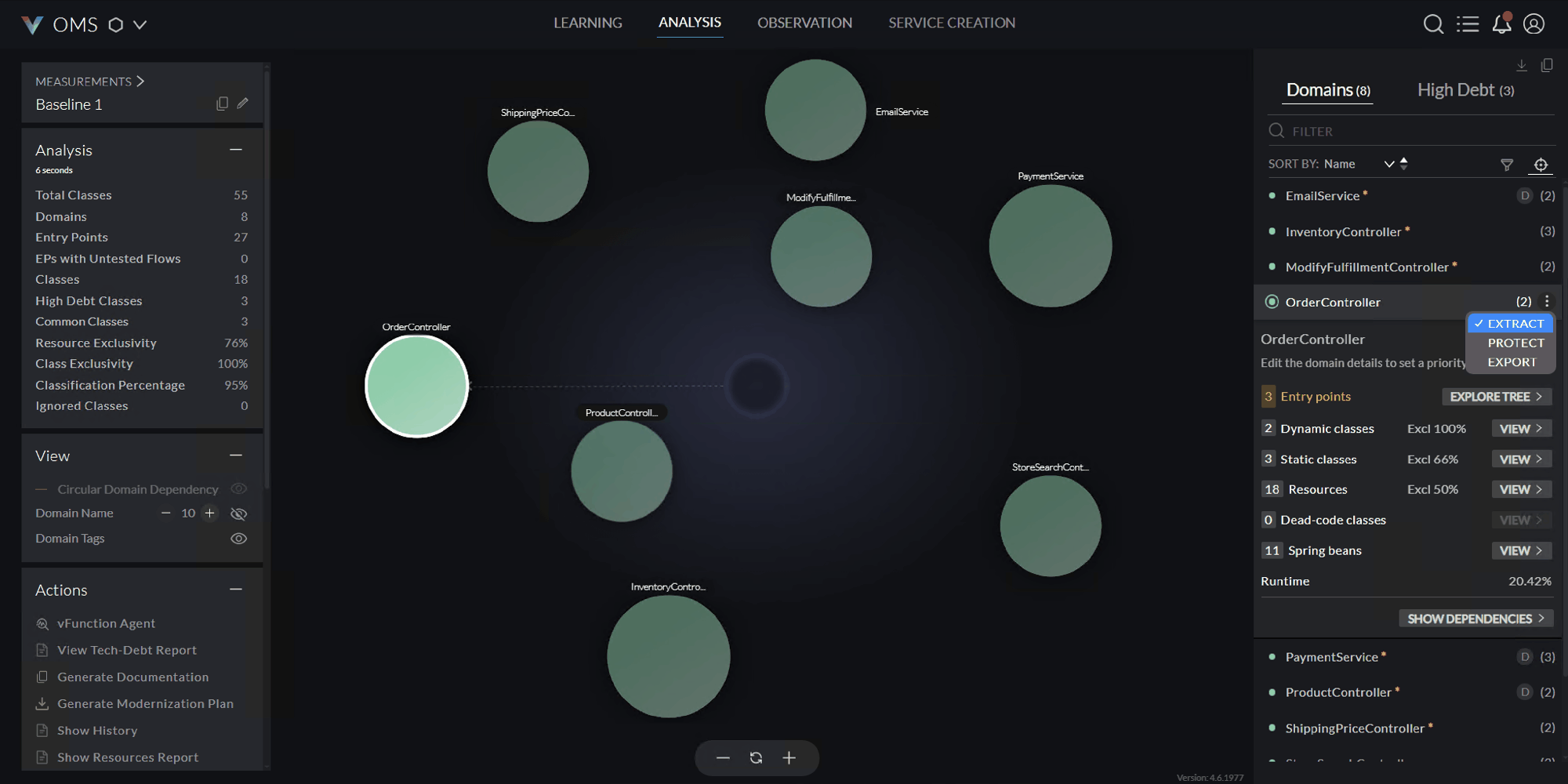
- Clicking the menu near the number next to the name (3 dots) and selecting SAVE.
Extraction Options
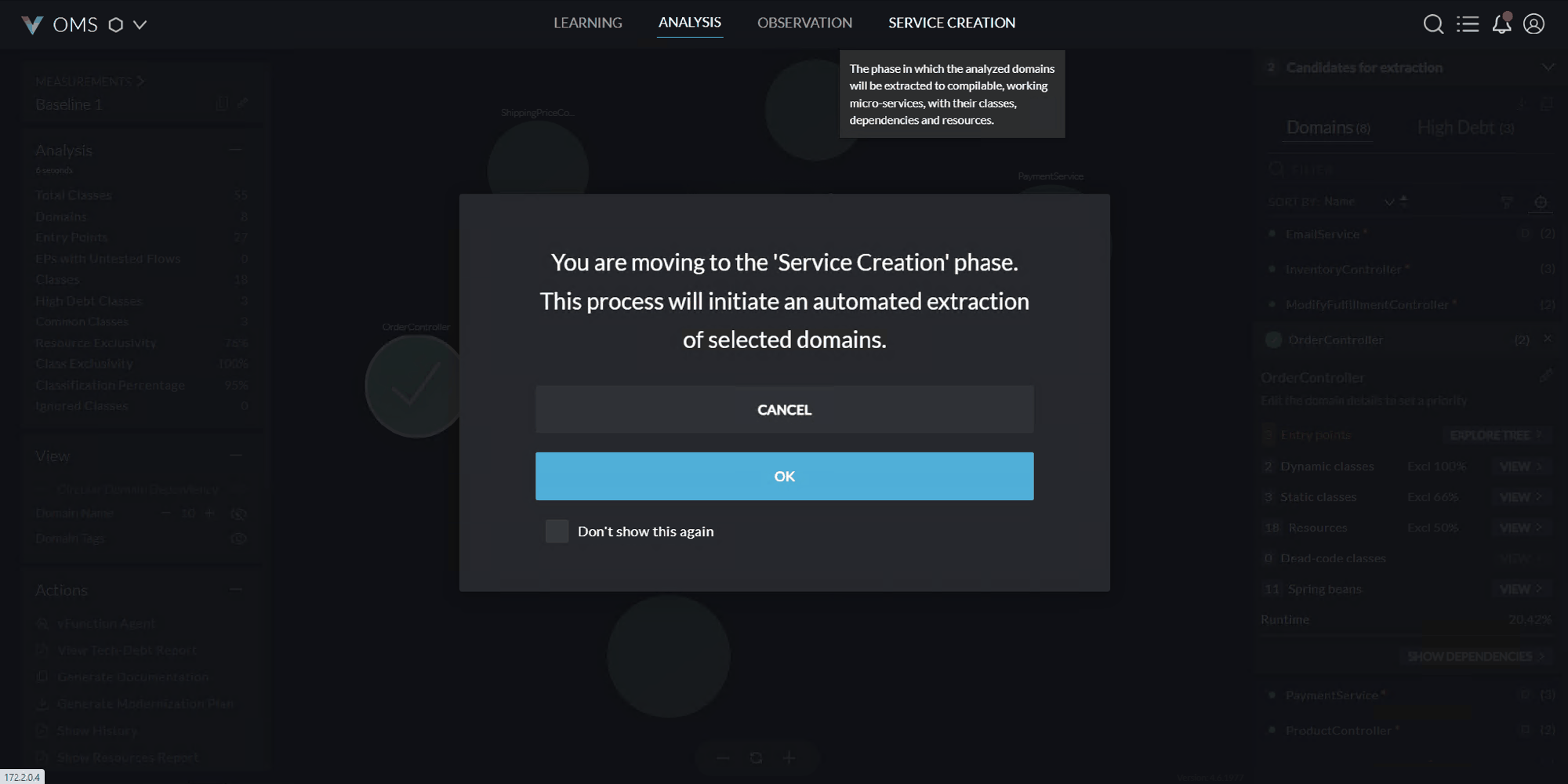
Switch to the SERVICE CREATION page and click on OK for the notification for service extraction.
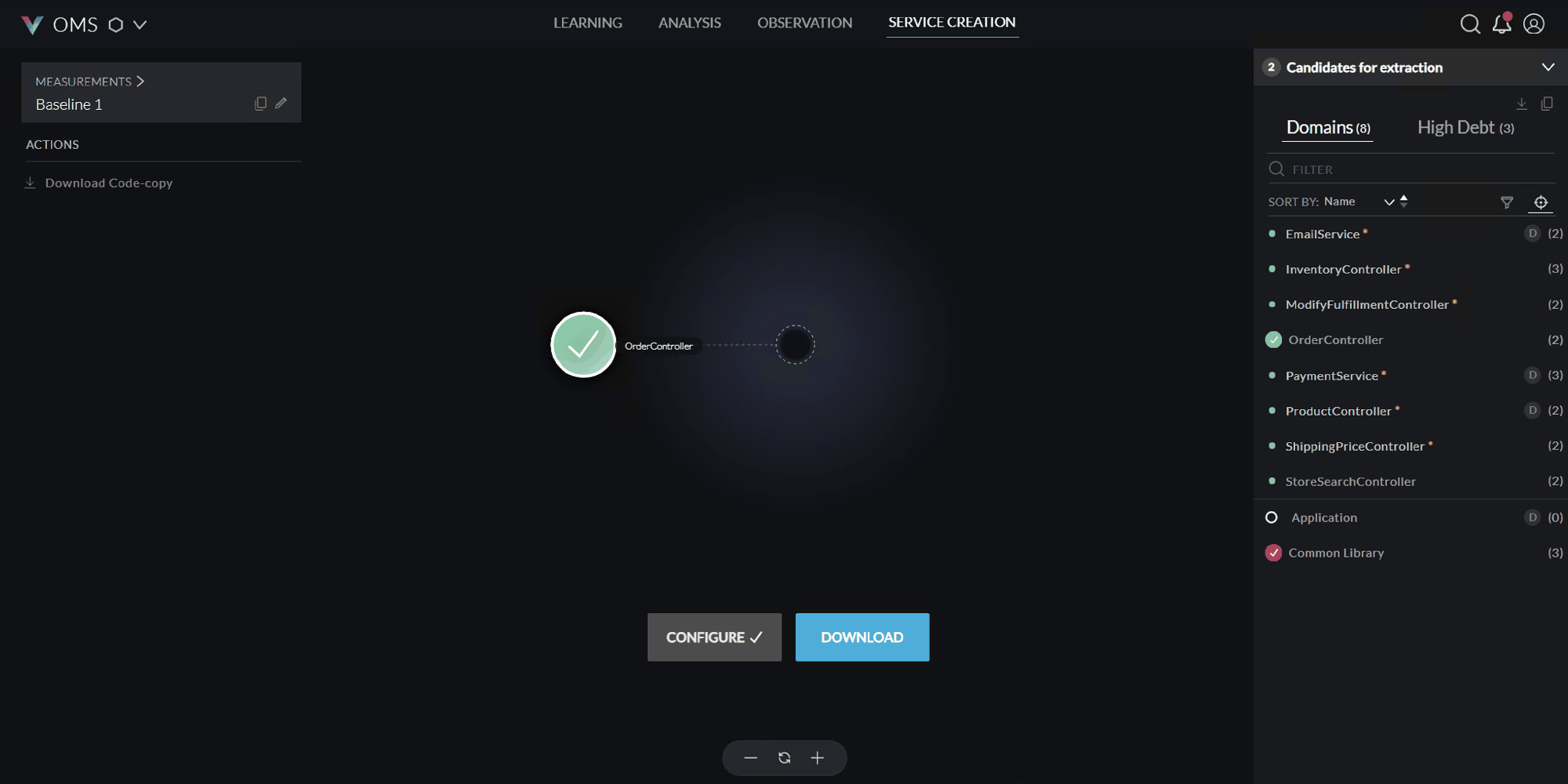
On the SERVICE CREATION page:
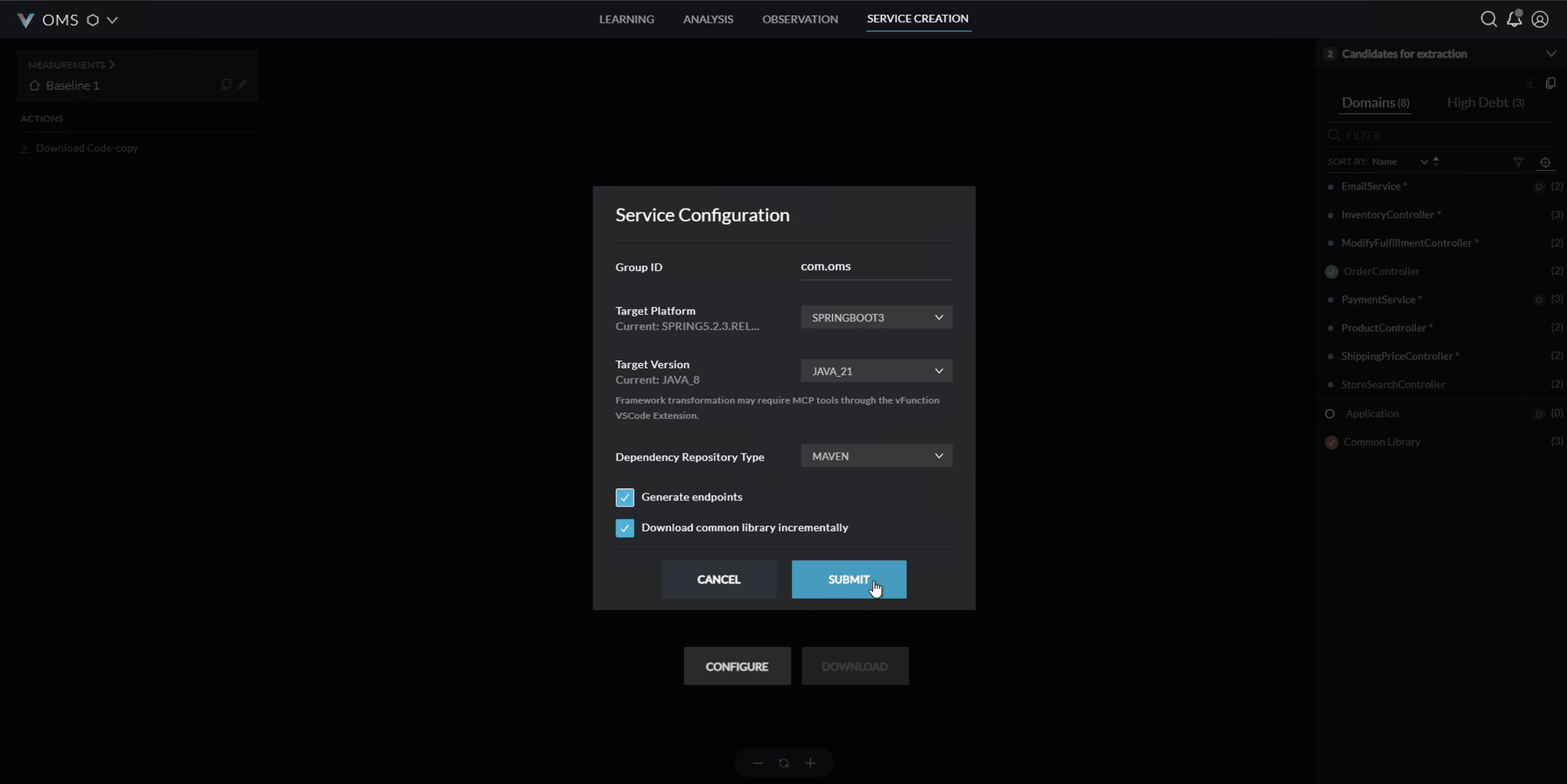
Click on CONFIGURE; an empty configuration popup will appear as shown below, update it with the below given details:
Configuration Field Current value Updated value Group ID com.oms Target Platform SPRING5.2.3.REL.. SPRINGBOOT3 Target Version JAVA_8 JAVA_21 - Make sure the checkboxes Generate endpoints Download common library incrementally are selected.
- Make sure the checkboxes Generate endpoints Download common library incrementally are selected.
Click on Submit