
TODOs
TODO items represent development tasks for disentangling and modernizing the application domains as captured by the latest measurement.
- They also show “architectural drifts” between the latest measurement and the baseline measurement, for example, if a class stopped being exclusive to a domain.
We haven’t conducted learnings on multiple versions of the application as yet and therefore our TODO items are for the baseline measurement only (Baseline 1)
Configure TODOs
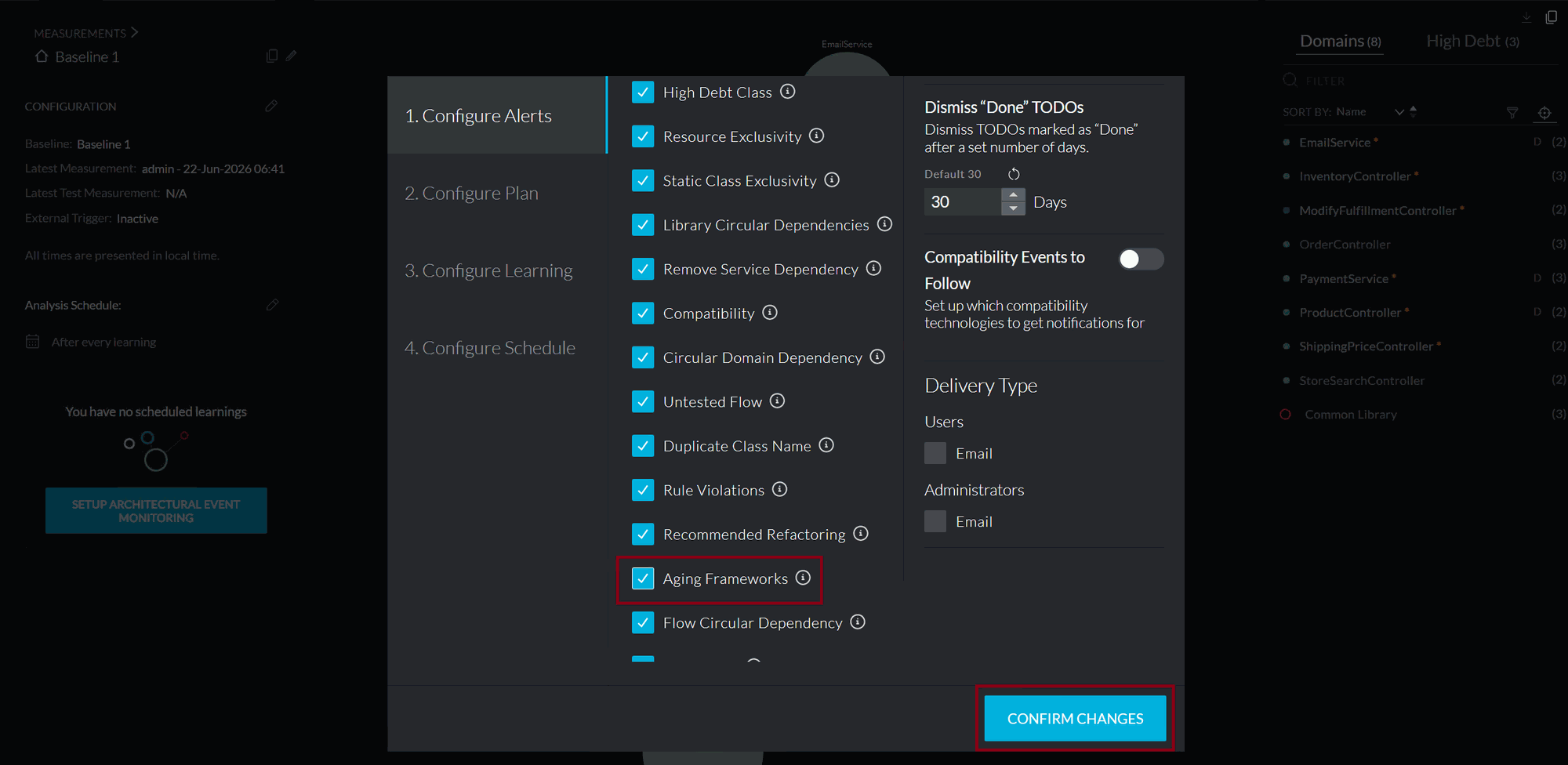
Click on the OBSERVATION page. - Click on the pencil icon next to “CONFIGURATION”. - Review the Configure Alerts settings and check the Aging Frameworks alert in addition to other other preselected alerts. - Click on CONFIRM CHANGES.

Review TODOs
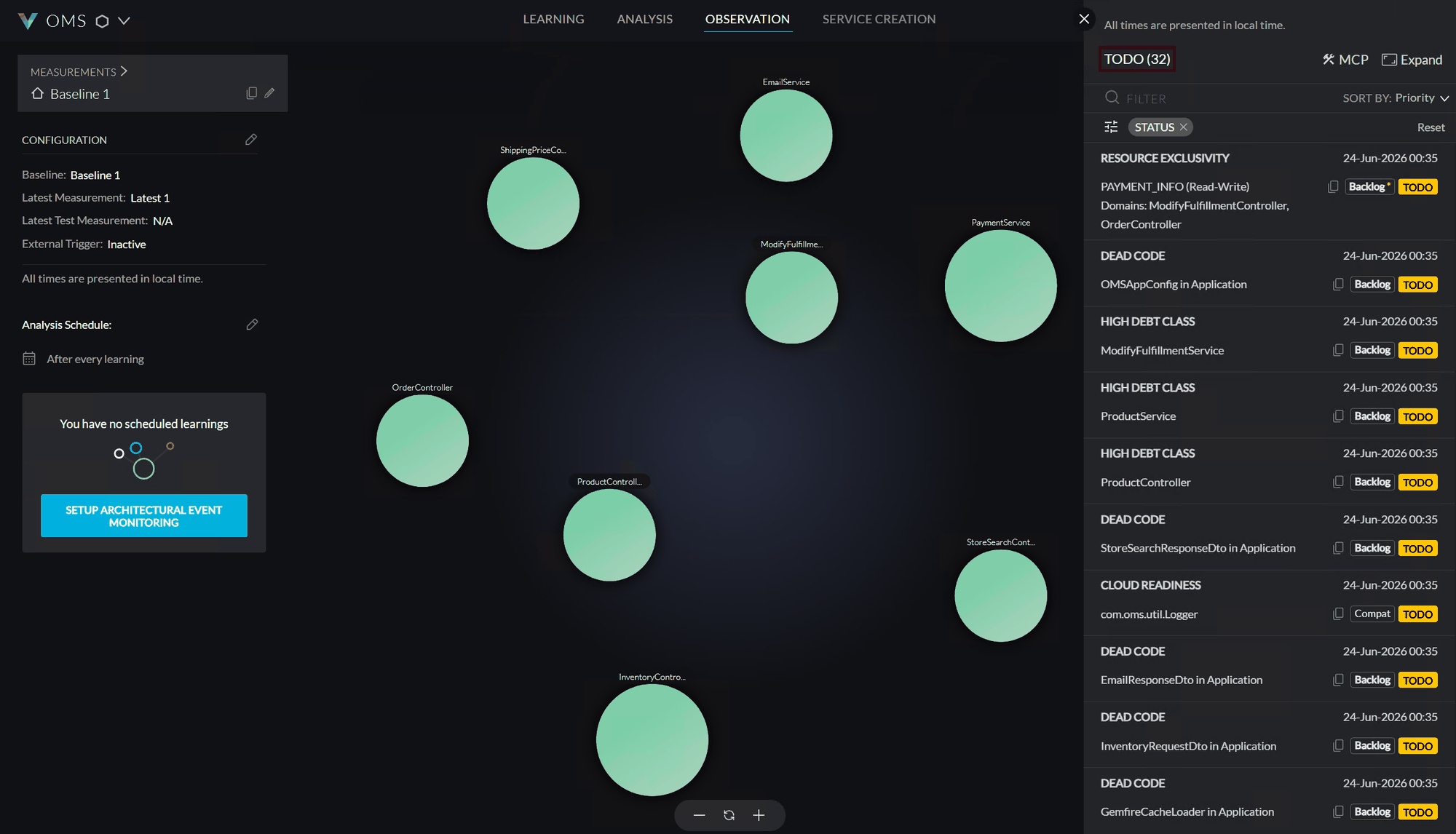
Let’s see the current TODO items that were created automatically by vFunction: - Click the bulleted list icon between the search and the notifications icons to open the list of the TODO items, to see if there are pre-existing todo items such as items for high-debt classes. - We see that there are total of 32 tasks/TODOs.

Create TODOs
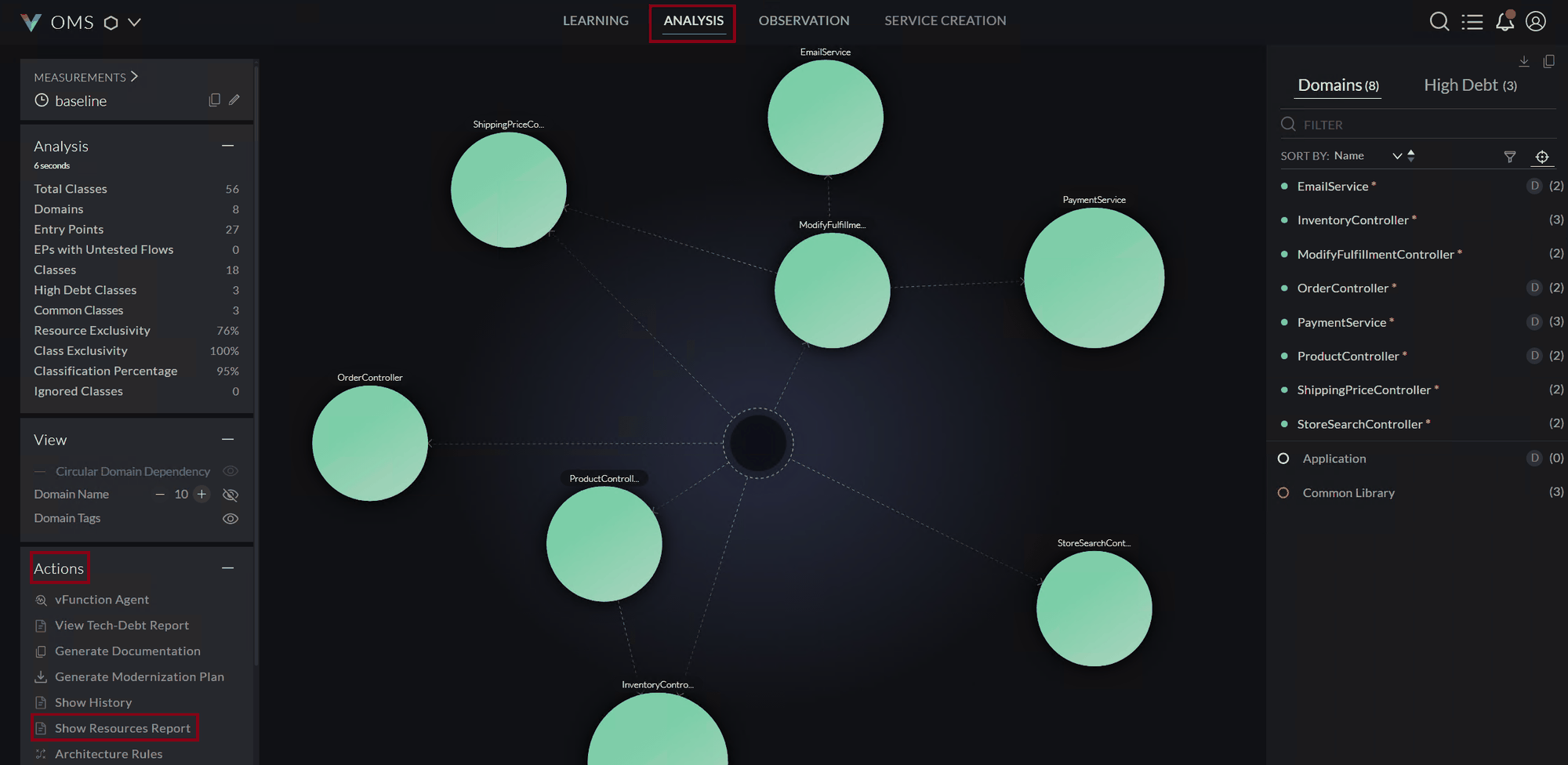
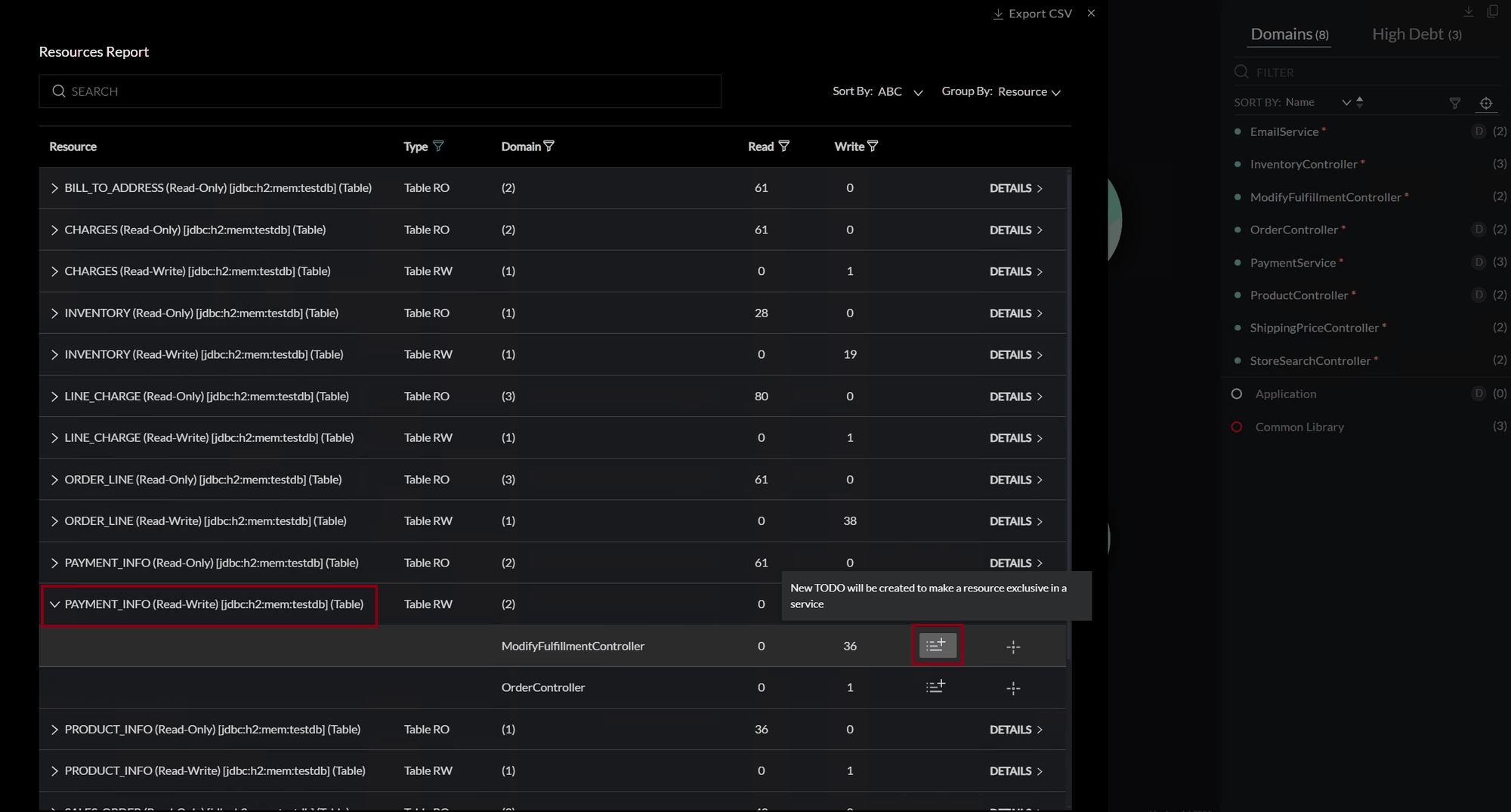
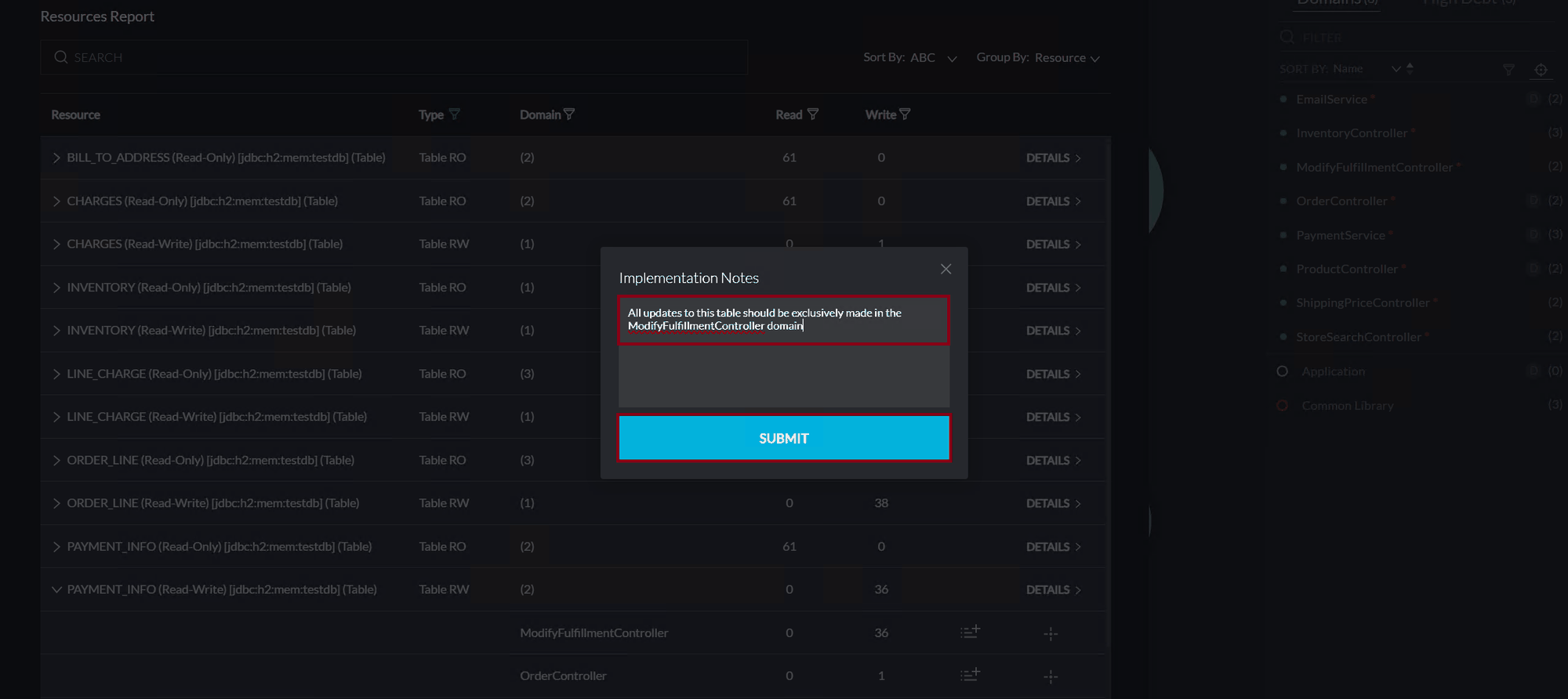
We can also create TODOs manually. For example, let’s create a TODO to make a table resource exclusive to a domain: - Click on the ANALYSIS tab at the top and then click on Show Resources Report under the Actions panel. - Click on PAYMENT_INFO (Read-Write) and then the icon to create a TODO under one of the domains. - In the Implementation Notes dialog box, add in some implementation details e.g. “All updates to this table should be exclusively made in the ModifyFulfillmentController domain” - Click SUBMIT. - A TODO already exists Please review and manage existing TODOs before adding a new one.
 TODO Dashboard
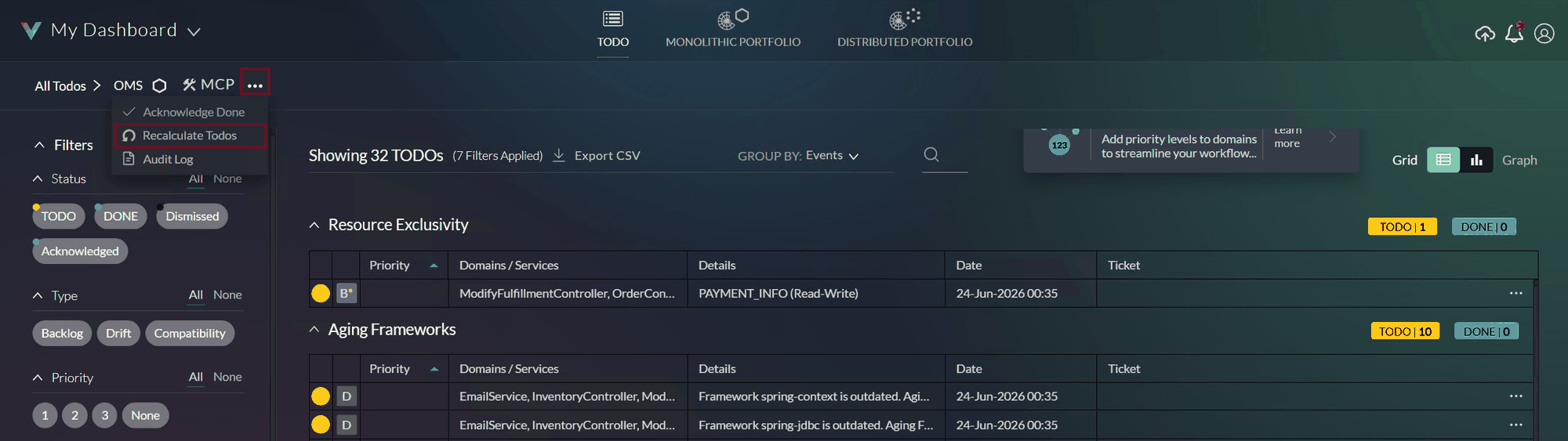
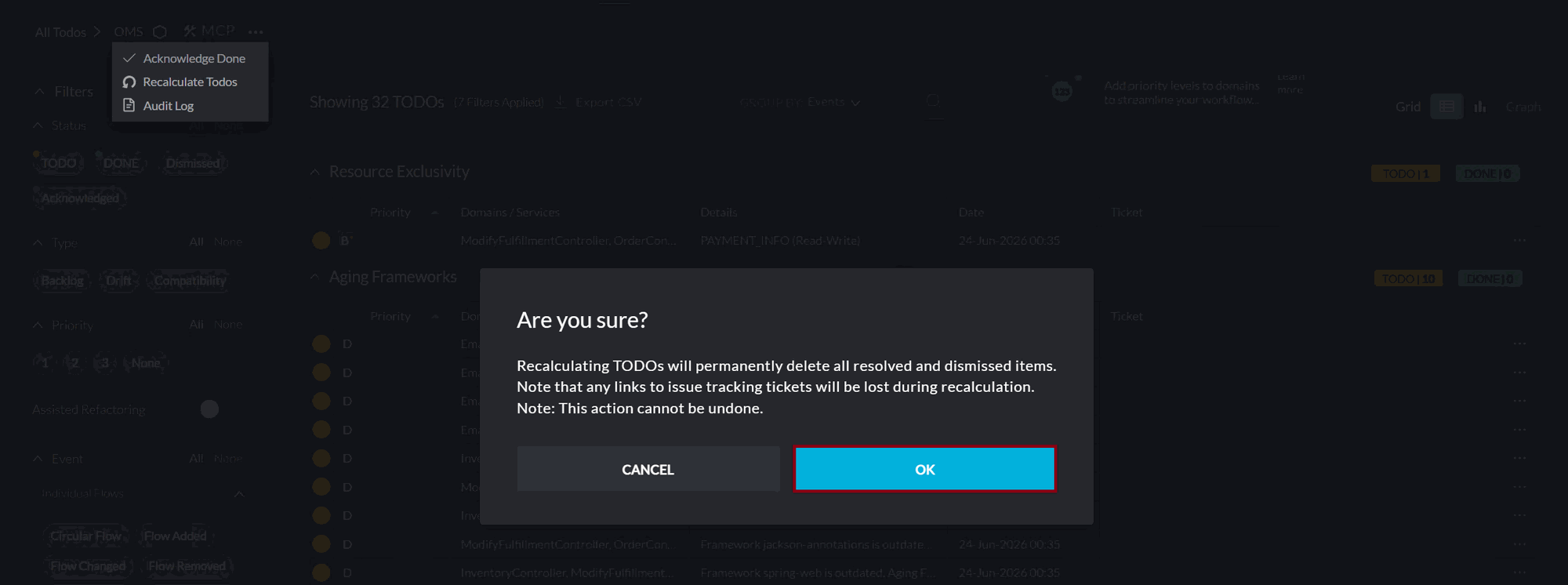
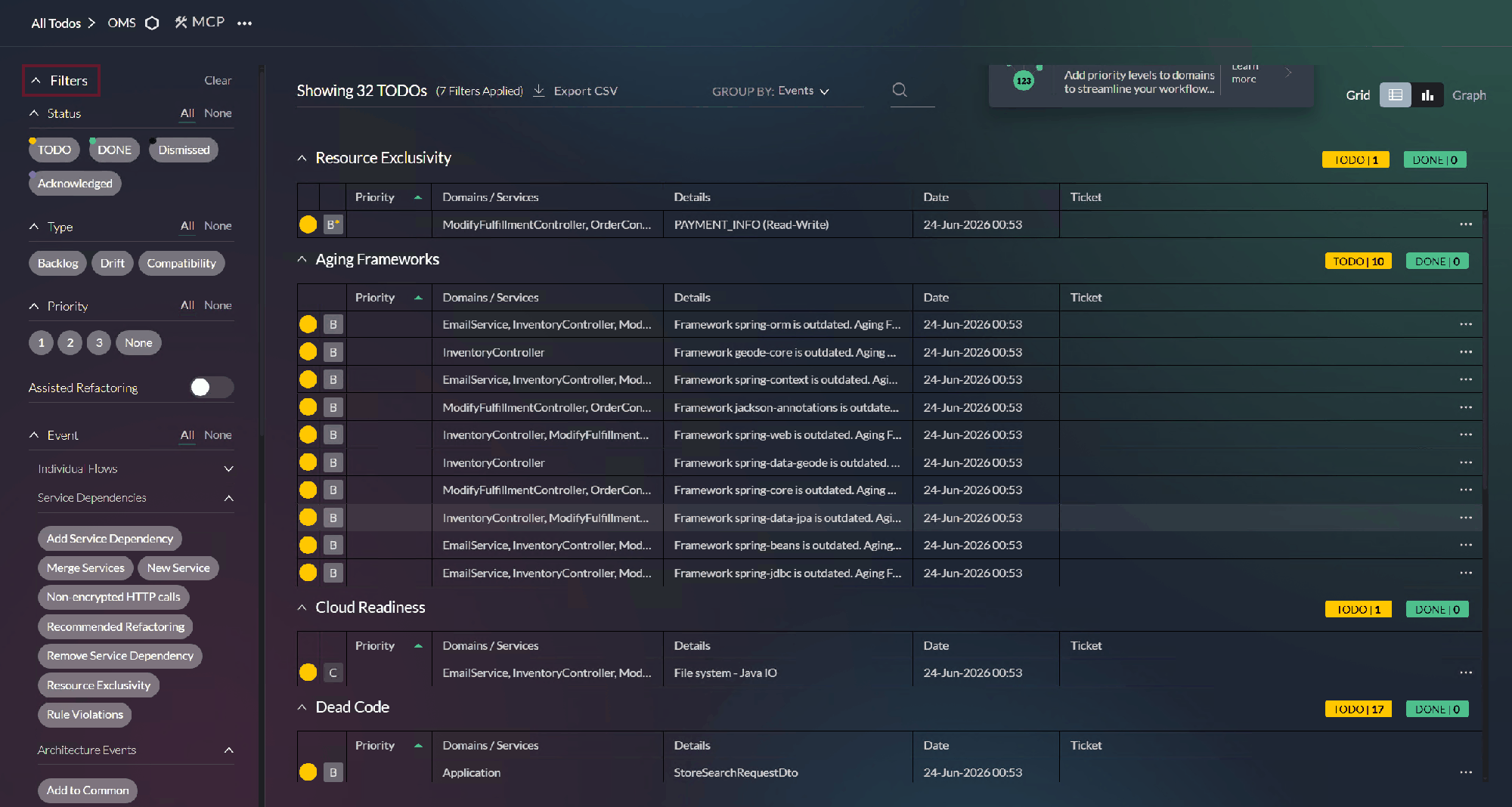
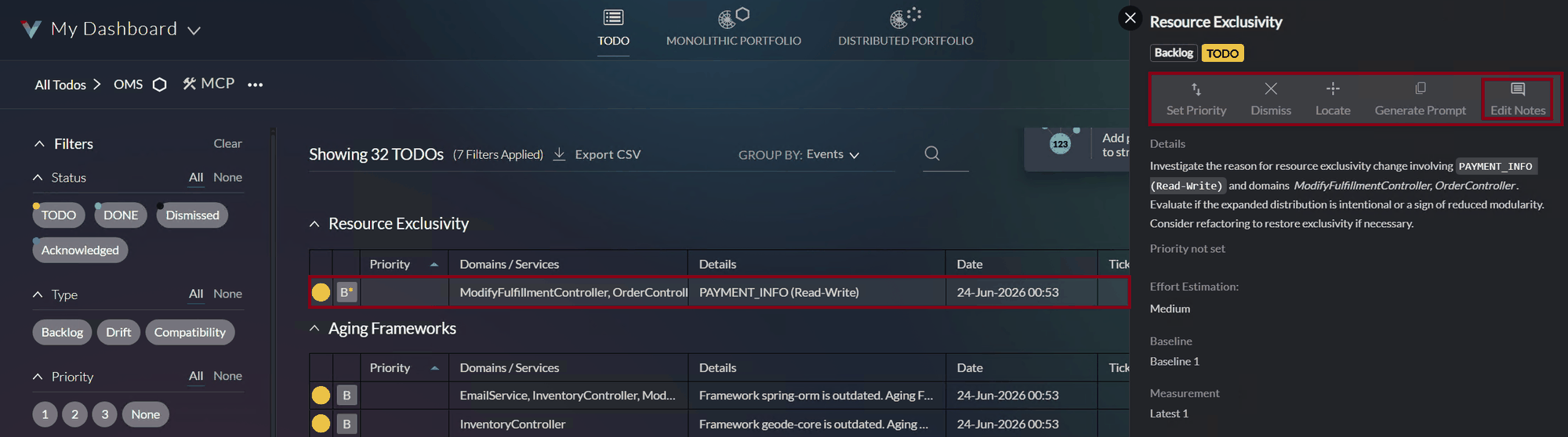
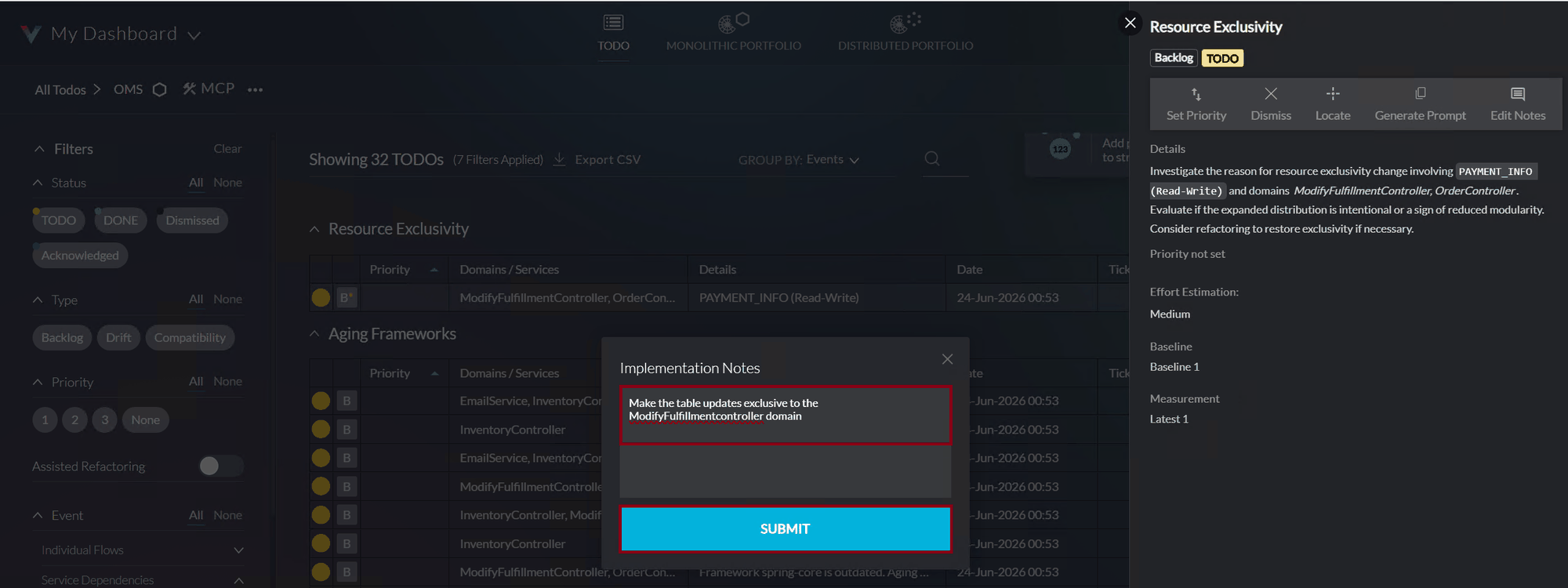
For a focused review of the TODOs in the application, the TODO dashboard provides an intuitive interface with comprehensive filtering capabilities and more detailed TODO descriptions - Click on the ANALYSIS tab at the top, then the bulleted list icon between the search and the notifications icons to open the list of the TODO items and then on EXPAND. - When the Dashboard opens, click on … beside MCP. Click Recalculate Todos. This will popup an “Are you sure?” confirmation box. Click OK - Explore this dashboard by clicking on the various filters on the left. By default, the TODOs are grouped by TODO type - Let’s explore one in more detail. Click on the one TODO under Resource Exclusivity. Note the pop-up on the right providing functions like setting a priority for this TODO, dismissing it, locating it in the measurement, generating a prompt to fix it using an AI coding assistant and adding implementation notes. - Click on Edit Notes. Add the following implementation detail “Make the table updates exclusive to the ModifyFulfillmentcontroller domain” and click SUBMIT


Wrap Up
Now that we understand TODOs, let’s set up Kiro IDE with the vFunction MCP server so we can fix them using AI-powered refactoring.