
Application Overview
The application that we are using in this workshop is the Order Management System (OMS), it is a representative legacy monolithic Java application. It simulates a retail or commerce-based backend system handling end-to-end order processing workflows.
Key Characteristics: - Monolithic architecture with multiple interconnected business capabilities. - Written in Java 8 using typical enterprise frameworks (e.g., Spring, Hibernate). - Deployed in Tomcat with a SQL database. - Reflects common legacy patterns such as tightly coupled classes, shared databases, and limited separation of logic. - Contains architectural challenges like feature entanglement and domain leakage.
The examples and sample code provided in this workshop are intended to be consumed as instructional content. These will help you understand how vFunction and various AWS services can be architected to build a solution, while demonstrating best practices along the way. These examples are not intended for use in production environments.
Windows Instance
- Primary User Interface: Provides RDP access for workshop participants
- Development Environment: Contains development tools like Postman, Visual Studio, etc.
- GUI Tools: Windows-based applications for interacting with the vFunction platform
- SSH Gateway: Provides SSH client access to connect to the Linux instance for command-line operations
Linux Instance
- Backend Server: Hosts the vFunction platform components and services
- Processing Engine: Performs the actual application analysis and modernization tasks
- Web Services: Serves web-based interfaces and APIs
- Database Server: Hosts databases and data storage (port 3307)
VM details
Log in to the AWS Console of the account where you ran the installation package, and switch to the region you configured in installation.yaml.
On the AWS console, type EC2 in the search bar and select EC2.

On the EC2 console, either click directly on “Instances” on the left side menu or “View dashboard” and then on “Instances”.


On the EC2 console, you can see the workshop instances running:

The “Windows VM” and “Linux VM” which are required to perform the vFunction workshop are deployed in the workshop VPC
Windows VM
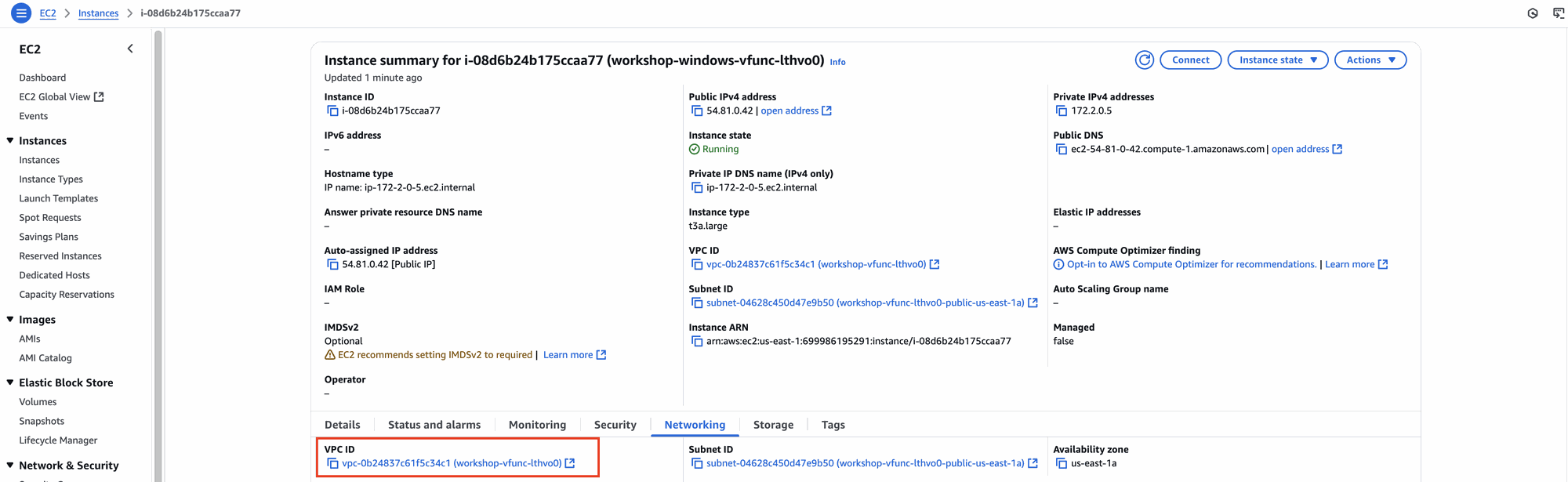
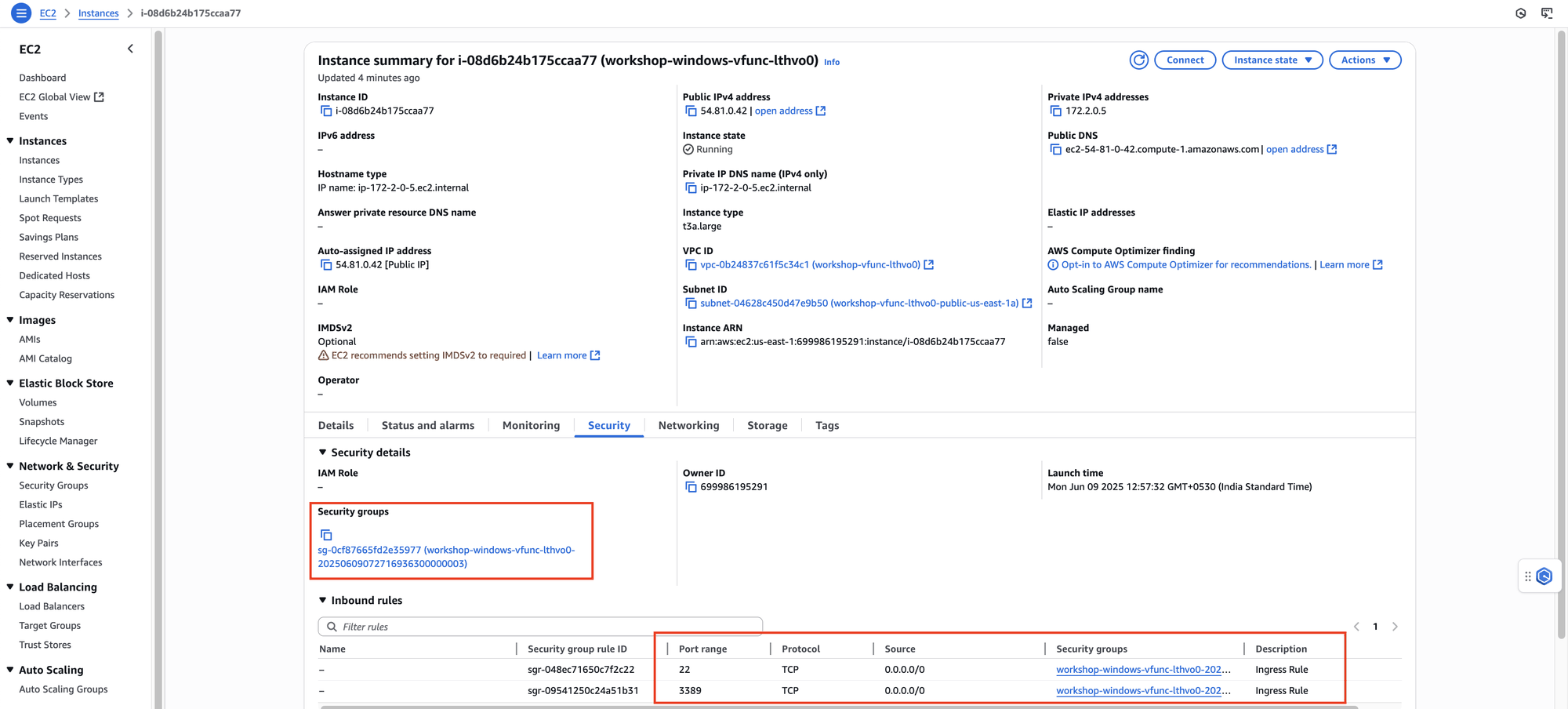

Linux VM
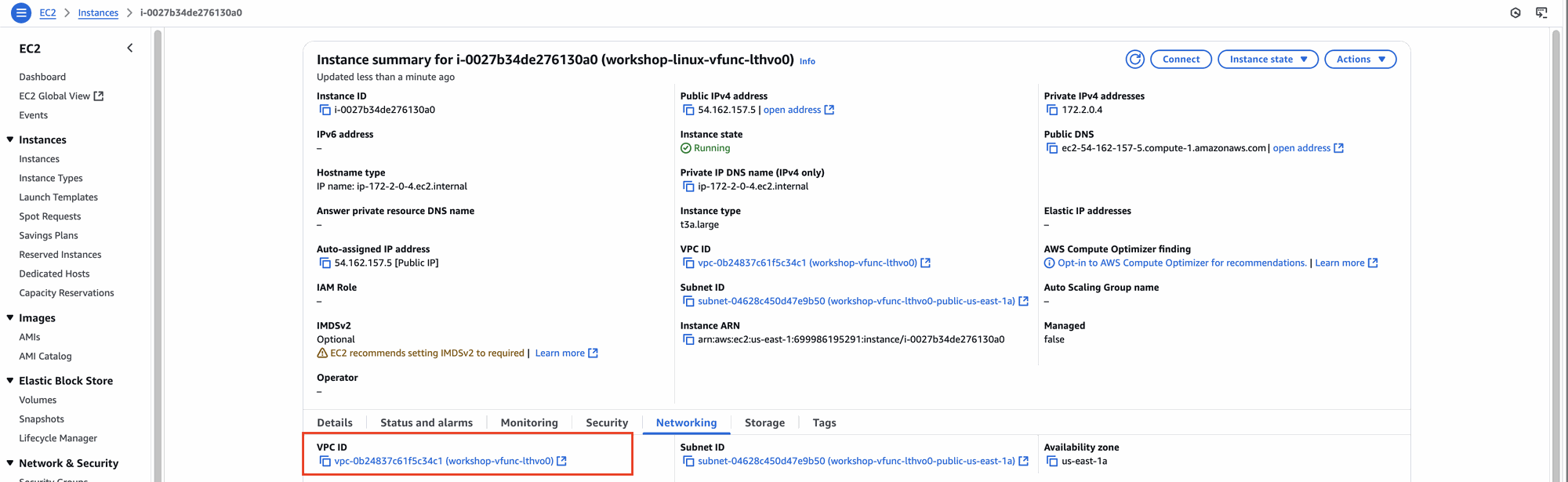
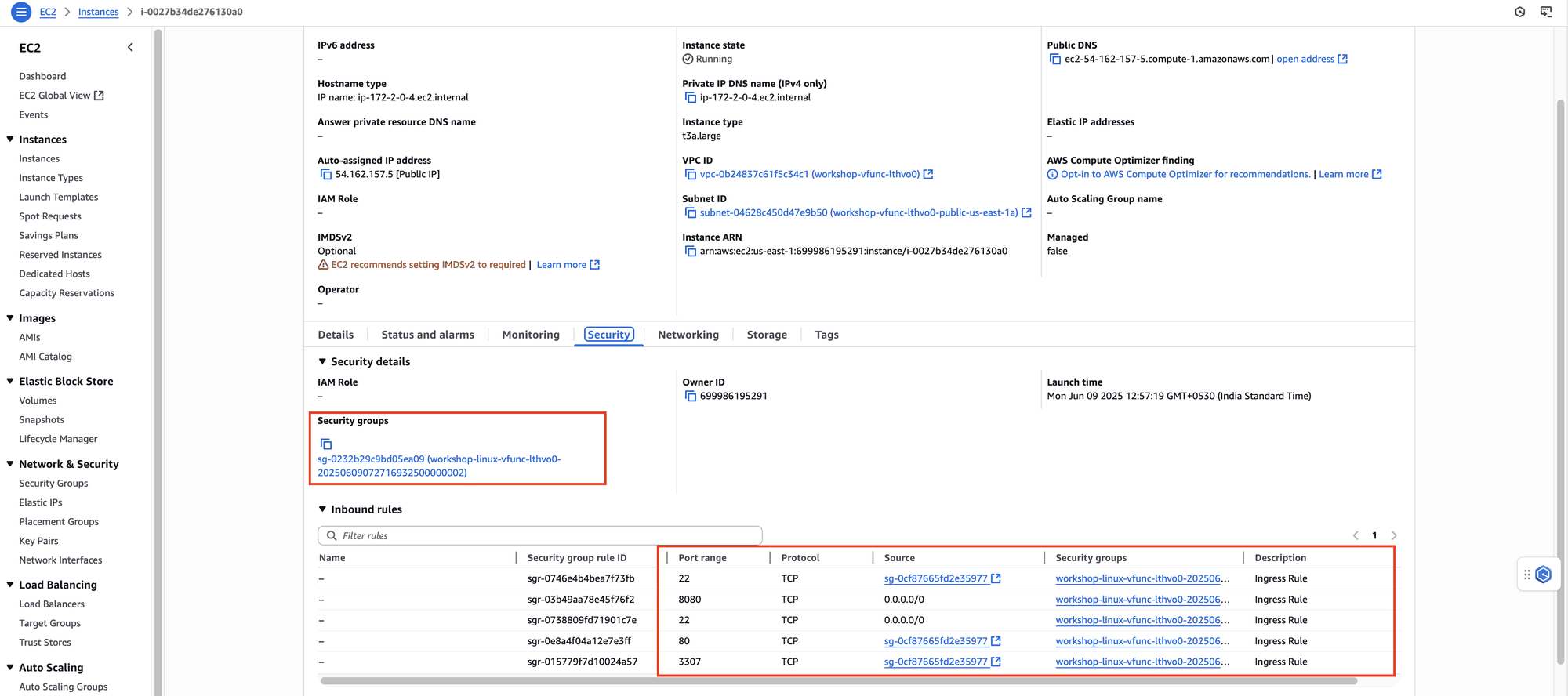

So, The Windows instance is the GUI/desktop environment where users work, while the Linux instance is the backend server that hosts the actual vFunction platform, web interfaces, and applications.
Users RDP into Windows and then use browsers or tools on Windows to connect to the web services running on the Linux instance (i.e.; accessing http://172.2.0.4:8080 from the Windows desktop).