
Building, Deploying, and Validating the Refactored Code
After applying the code fix from the previous step, we will build the application, deploy it, trigger a new learning cycle and verify that the TODO has been resolved.
Build the Application
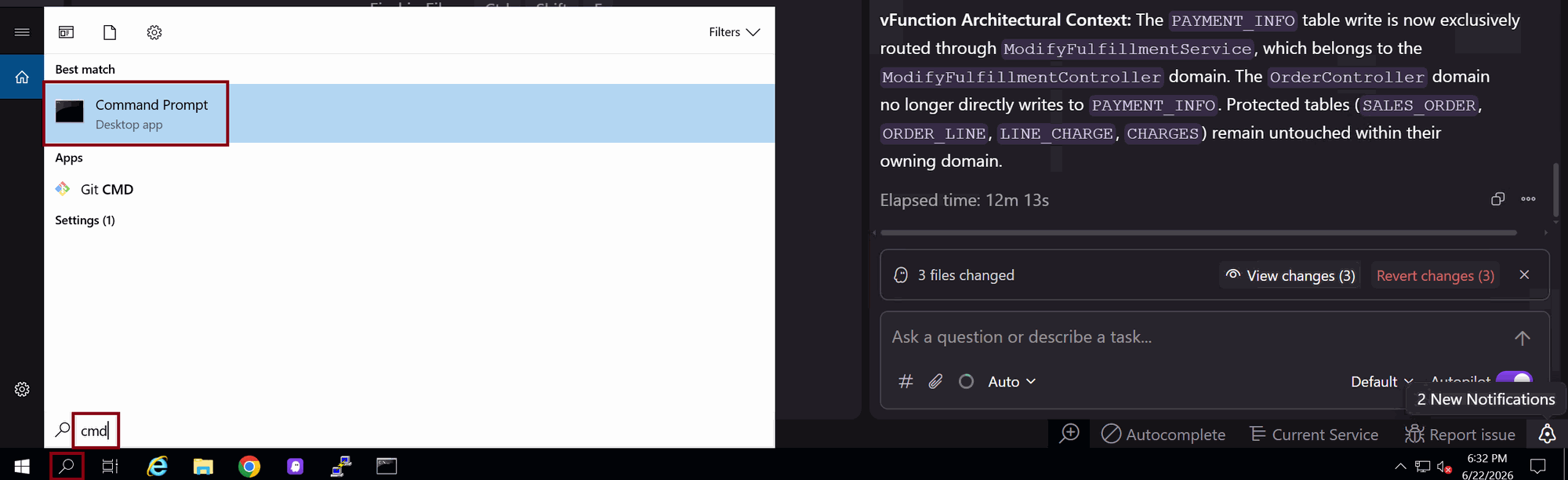
Open Windows command prompt by typing cmd in the Windows search bar
Run the following to build the application
cd C:\vFunctionLab\oms-tutorial\oms-webmvcmvn clean install
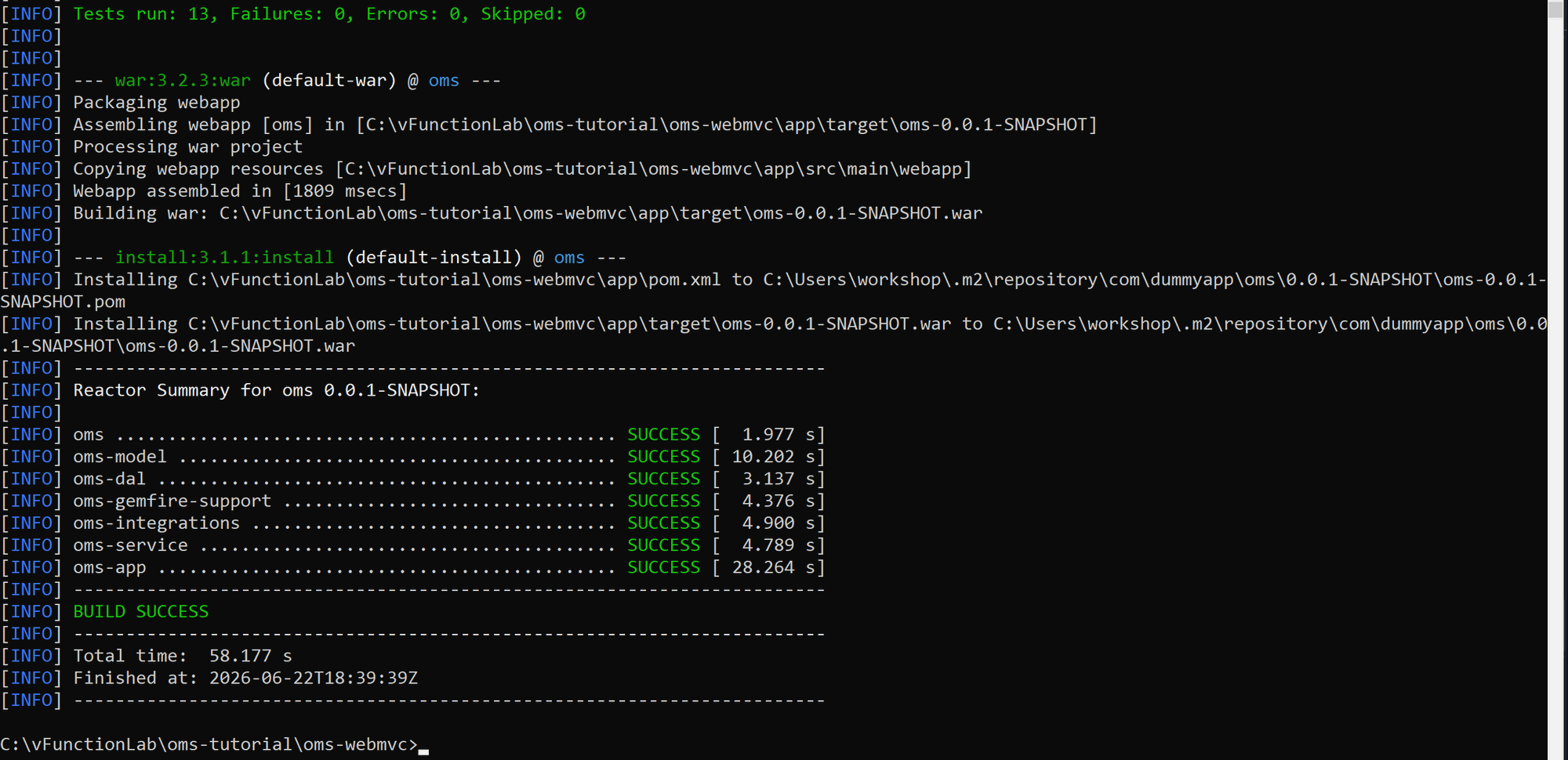
Deploy the Updated Application
Copy the compiled oms-0.0.1-snapshot.war to the Linux VM
Enter the VM’s workshop account password when prompted
cd C:\vFunctionLab\oms-tutorial\oms-webmvc\app\targetpscp oms-0.0.1-SNAPSHOT.war workshop@172.2.0.4:/home/workshop
Switch to the Linux terminal and deploy the new OMS version
cd ~sudo mv oms-0.0.1-SNAPSHOT.war oms-phase-2/oms-0.0.1-SNAPSHOT.warsudo ./replace-oms.sh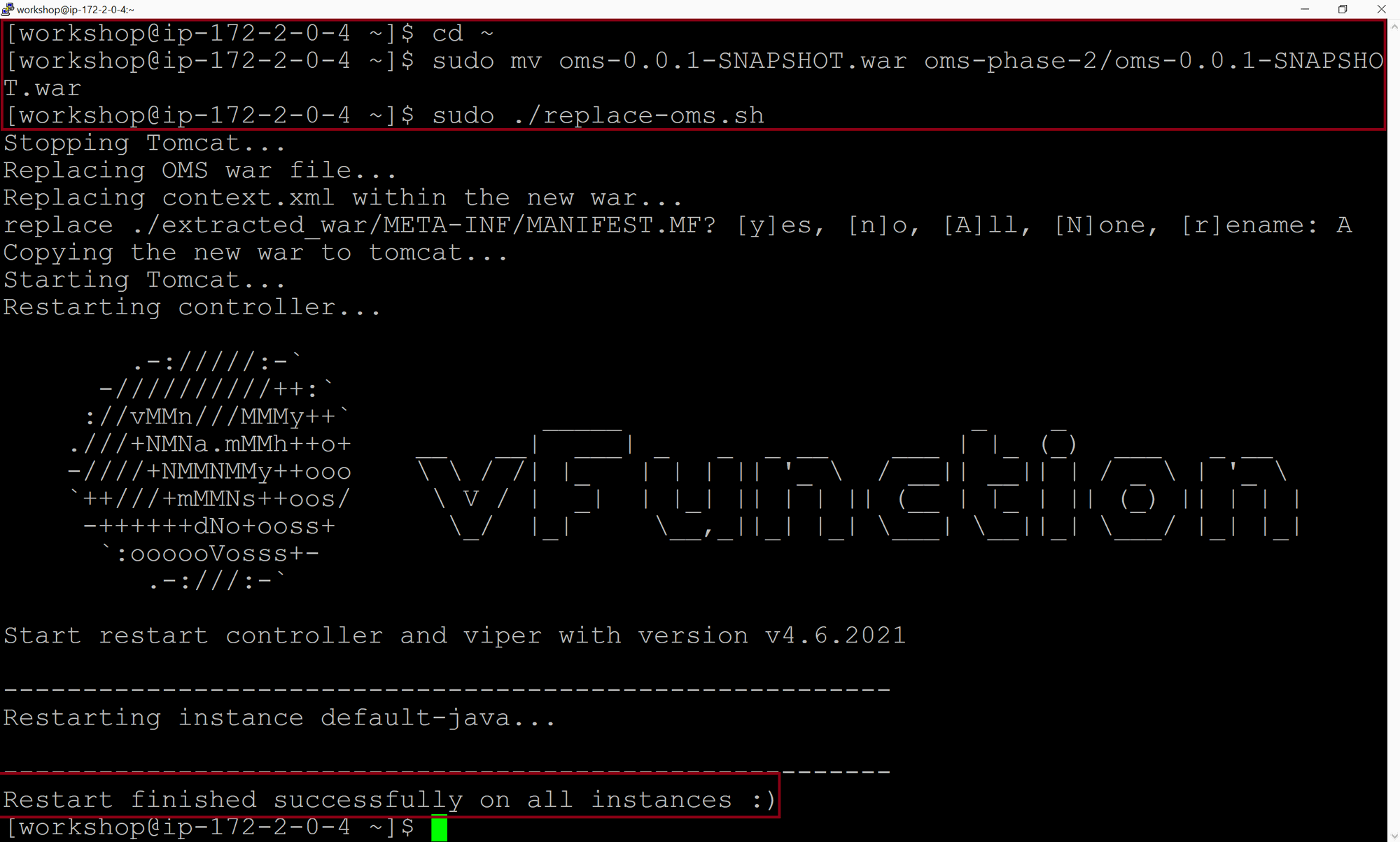
Trigger a New Learning Cycle
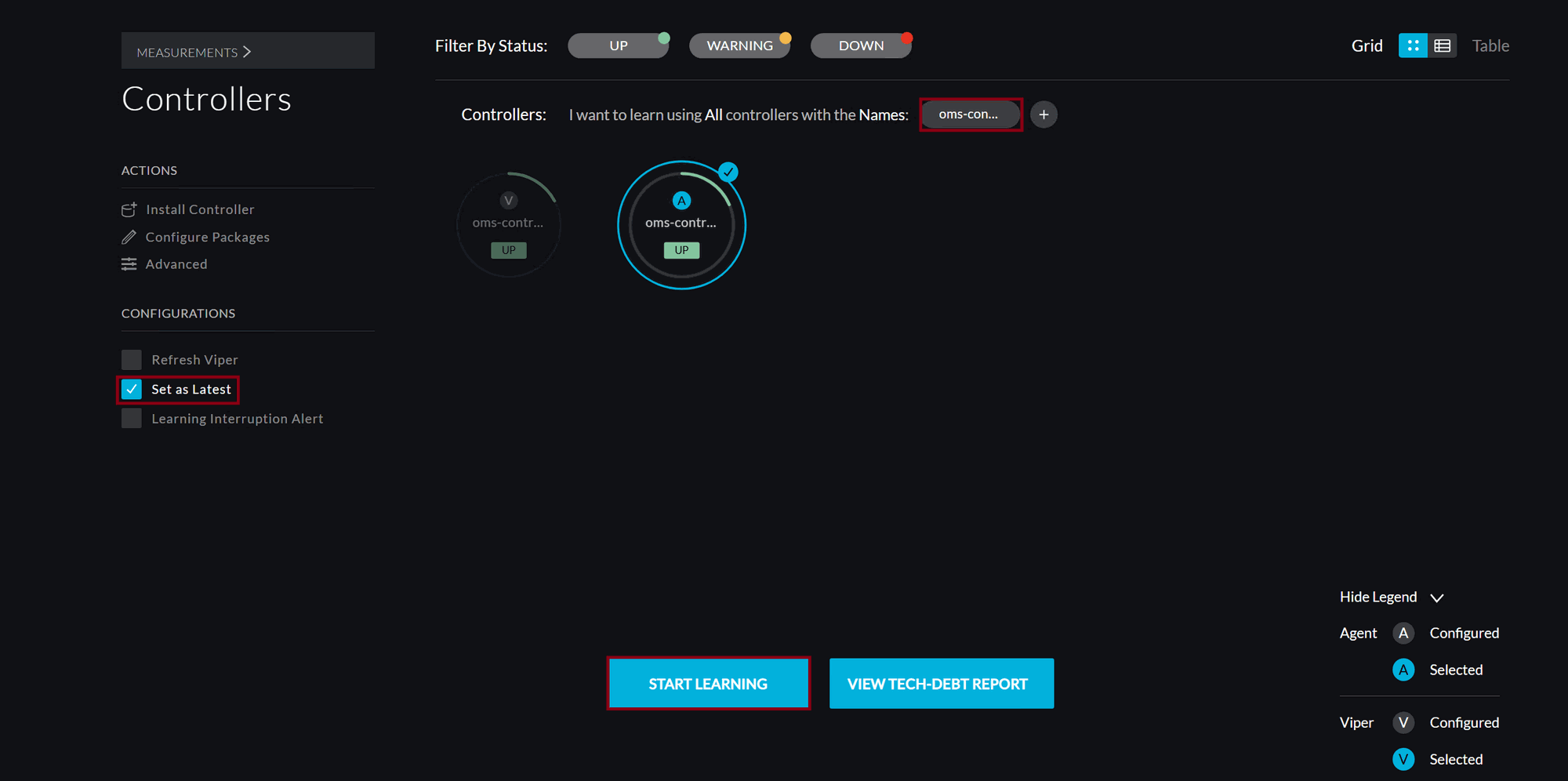
In the vFunction UI, hover over MEASUREMENTS and click on NEW MEASUREMENT
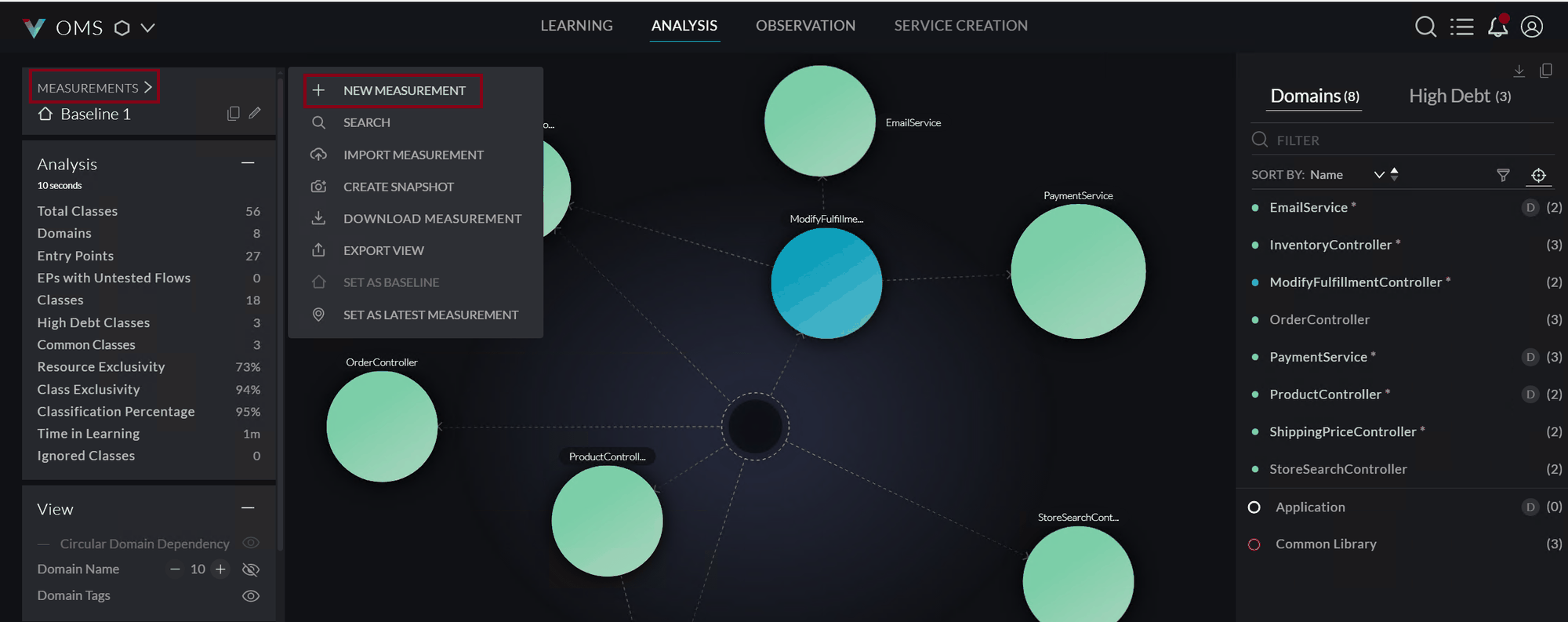
Select the right agent, check Set as Latest and click START LEARNING
After deploying the latest OMS version, wait for 5 minutes for both the agent and viper to be up and available
In the Linux terminal, run the OMS test script to exercise application functionality:
cd ~/oms-test-script/for i in `seq 1000`; do ./use-apis.sh ; sleep 0.5; done- let the script complete
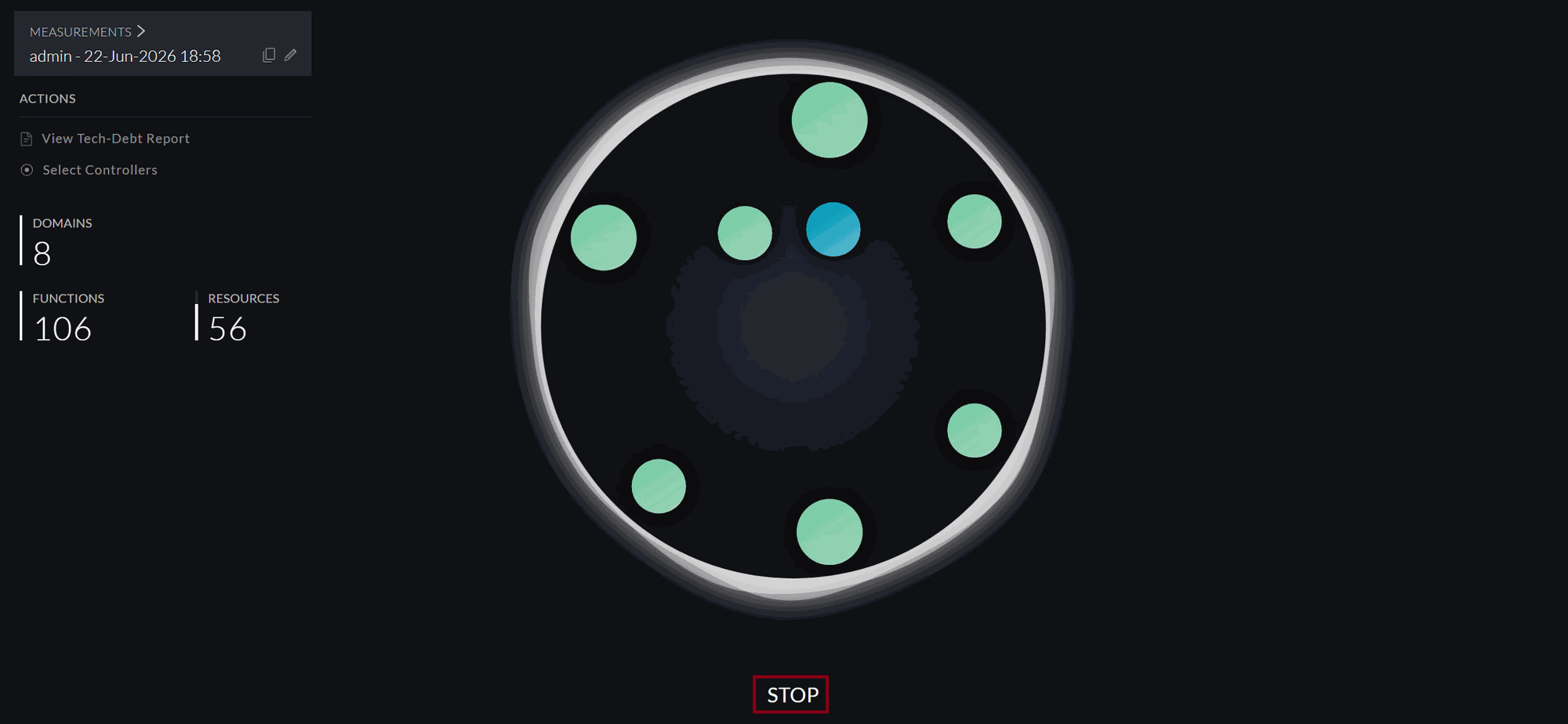
Once the test script completes, stop the learning session by clicking on STOP
Verify TODO Resolution in the vFunction UI
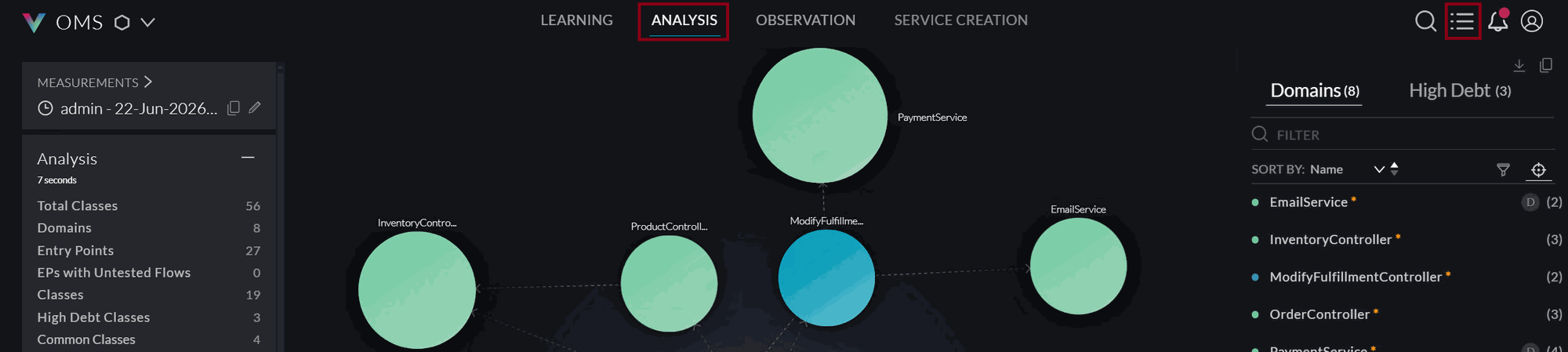
- On the ANALYSIS tab, click the bulleted list icon to open the TODO list.
- Filter the TODOs by status done. You should see that the RESOURCE EXCLUSIVITY TODO on PAYMENT_INFO should be marked as DONE
Additionally, Navigate to the OrderController domain and view the non-exclusive dynamic classes. You should see the ModifyFulfillmentService class. Click its details to confirm that OrderService.saveOrder() calls ModifyFulfillmentService.savePaymentInfo()


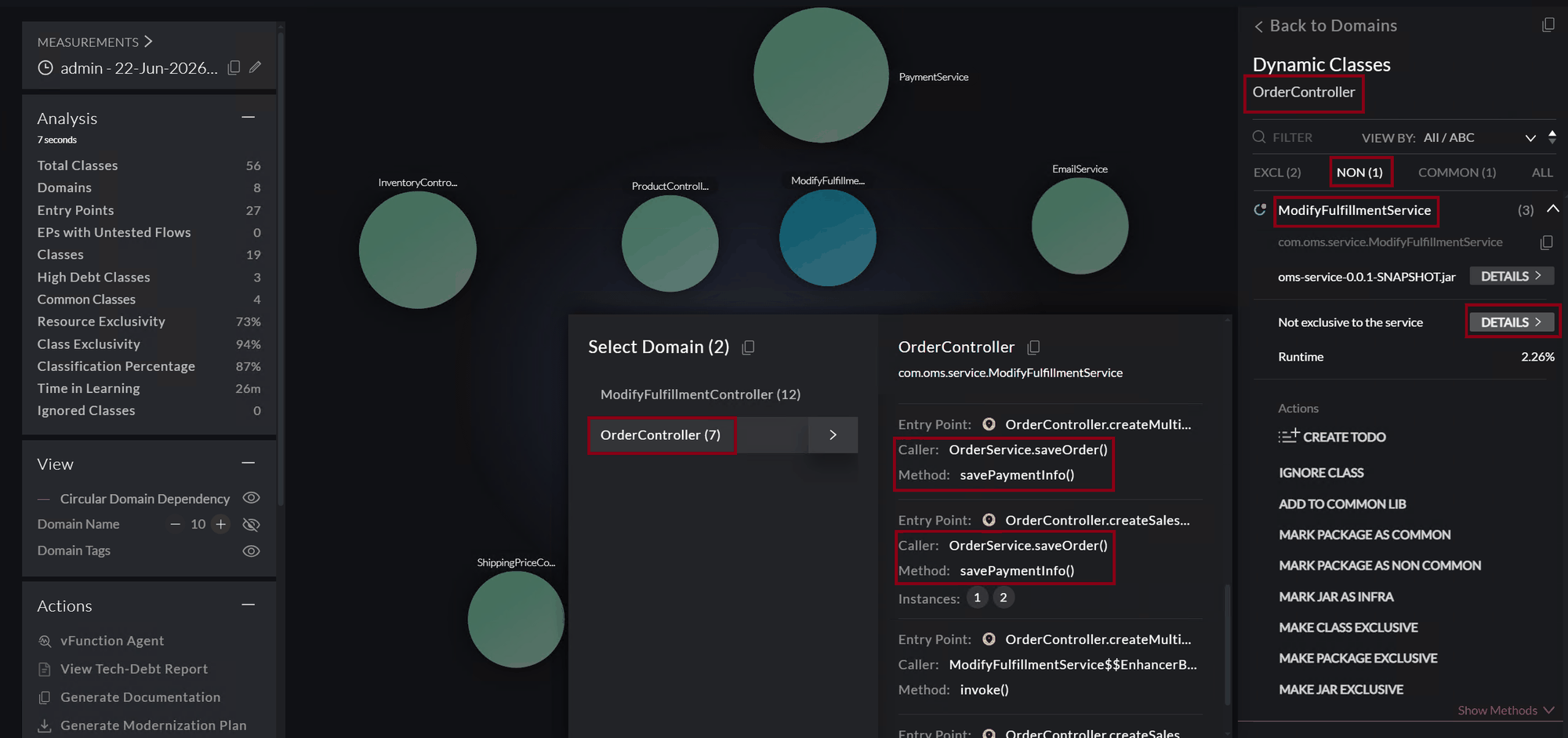
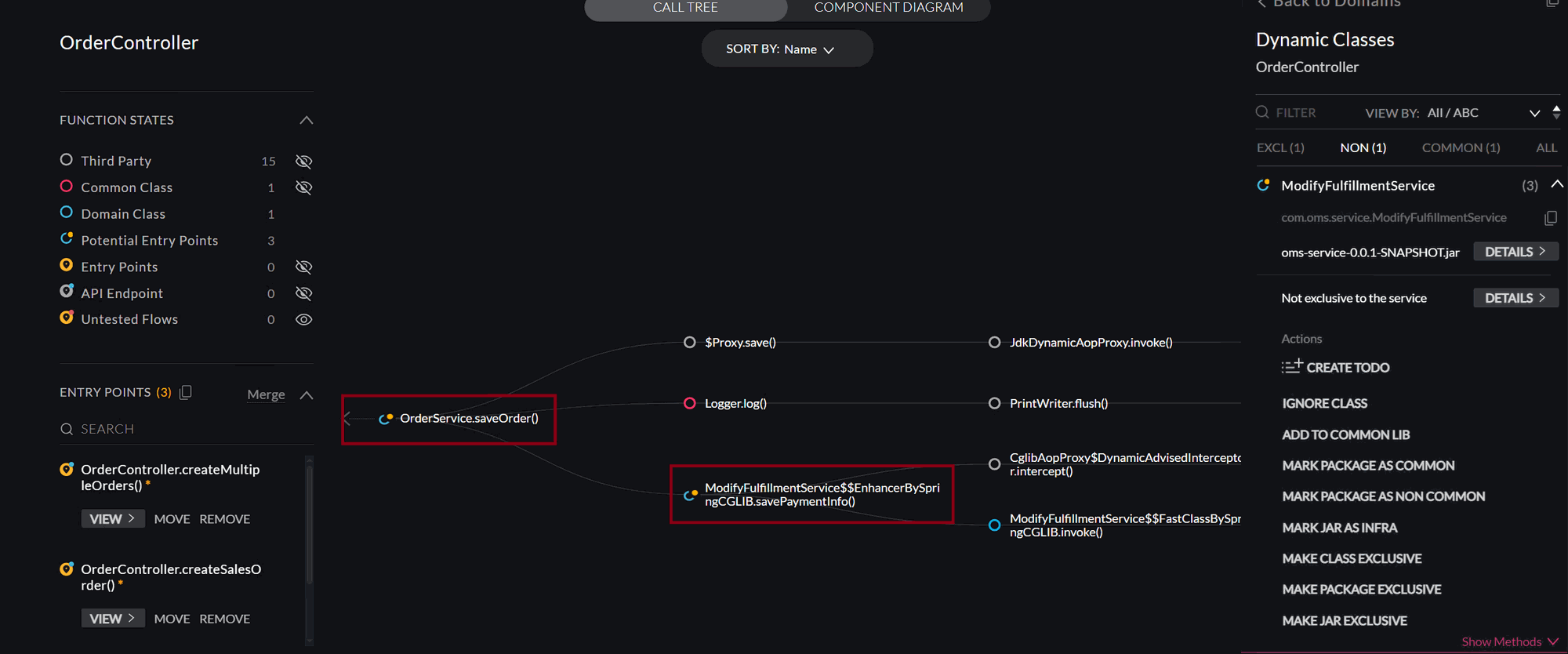
Full Circle: This confirms the full loop: vFunction identified the issue → Kiro fixed the code with vFunction’s architectural context → vFunction verified the resolution.
Wrap Up
The refactored code has been built, deployed, and validated. The TODO is confirmed as resolved in both the vFunction UI and Kiro Chat. Let’s summarize what we accomplished.